


What is the default password of ubiquiti systems and security camera
- Administrator A
- Apr 24
- 2 min read

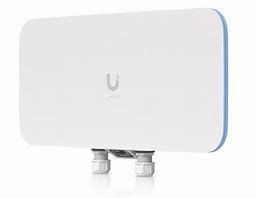
What is the Ubiquiti (UniFi Protect) Default Password? The 2026 Reset Guide
Setting up a Ubiquiti UniFi Protect system is usually seamless—until you need to log into a camera directly. If you are trying to access your G3, G4, or G5 Pro cameras via their IP address and "admin/admin" isn't working, you've hit Ubiquiti’s unique security layer.
In this 2026 guide, we reveal the UniFi default password for new cameras and, more importantly, how to find your Recovery Password if your cameras are already "Adopted."
1. The Out-of-the-Box Default Password
If your Ubiquiti camera is brand new or has just been factory reset (and is not yet managed by an NVR), the factory default credentials are:
Username: ubnt
Password: ubnt
Default IP: DHCP (or 192.168.1.20 if no DHCP server is found)
2. The "Adopted" Camera Password (Most Common Problem)
The moment you add (adopt) a camera to a UniFi Cloud Key Gen2 Plus, UNVR, or Dream Machine, the system automatically changes the camera's password for security.
If you need to log into the camera's web UI to enable RTSP or adjust standalone settings, you must use your unique Device Password:
How to Find Your UniFi Recovery Password:
Log into your UniFi Protect application (web browser version).
Click on the Settings icon (gear icon) on the left sidebar.
Select System (or General in older versions).
Scroll down to the Advanced section.
Look for Recovery Code or Device Password. Click the "Reveal" (eye) icon to see your unique password.
To Log In: Use Username ubnt and the Recovery Code you just found.
3. How to Factory Reset UniFi Protect Cameras
If you have inherited a system and don't have access to the NVR to see the recovery code, you must perform a hardware reset.
The Physical Pin-Hole Method:
Ensure the camera is powered on via PoE.
Locate the small Reset Pinhole (usually found near the Ethernet port or under the lens cover).
Use a paperclip to press and hold the button for 10–15 seconds.
Release when the light ring flashes or the status LED turns off.
The camera will reboot and revert to the default ubnt/ubnt credentials.
4. Resetting the UniFi NVR (UNVR / Dream Machine)
If you are locked out of the NVR itself:
UniFi OS Login: Use your UI.com account credentials.
Hard Reset: Most UniFi NVRs have a physical reset button on the front or back. Hold it for 10 seconds while the unit is powered on to wipe all settings (this will require you to re-adopt all cameras).
SEO Keywords for This Post:
Ubiquiti UniFi Protect default password
UniFi camera recovery code
Reset UniFi G4 Pro camera to factory settings
ubnt default login 2026
UniFi Protect device password location
How to log into UniFi camera via IP
UniFi NVR factory reset procedure
Expert Insight for Cleveland IT Managers
At Cleveland Security Cameras, we often see UniFi systems "orphan" cameras when a Cloud Key fails. Always back up your Recovery Code in a secure password manager. It is the only way to re-adopt your cameras without climbing a ladder to hit the physical reset button.
Need a professional UniFi network audit in Northeast Ohio? Contact Cleveland Security Cameras for expert deployment and troubleshooting.


Comments